
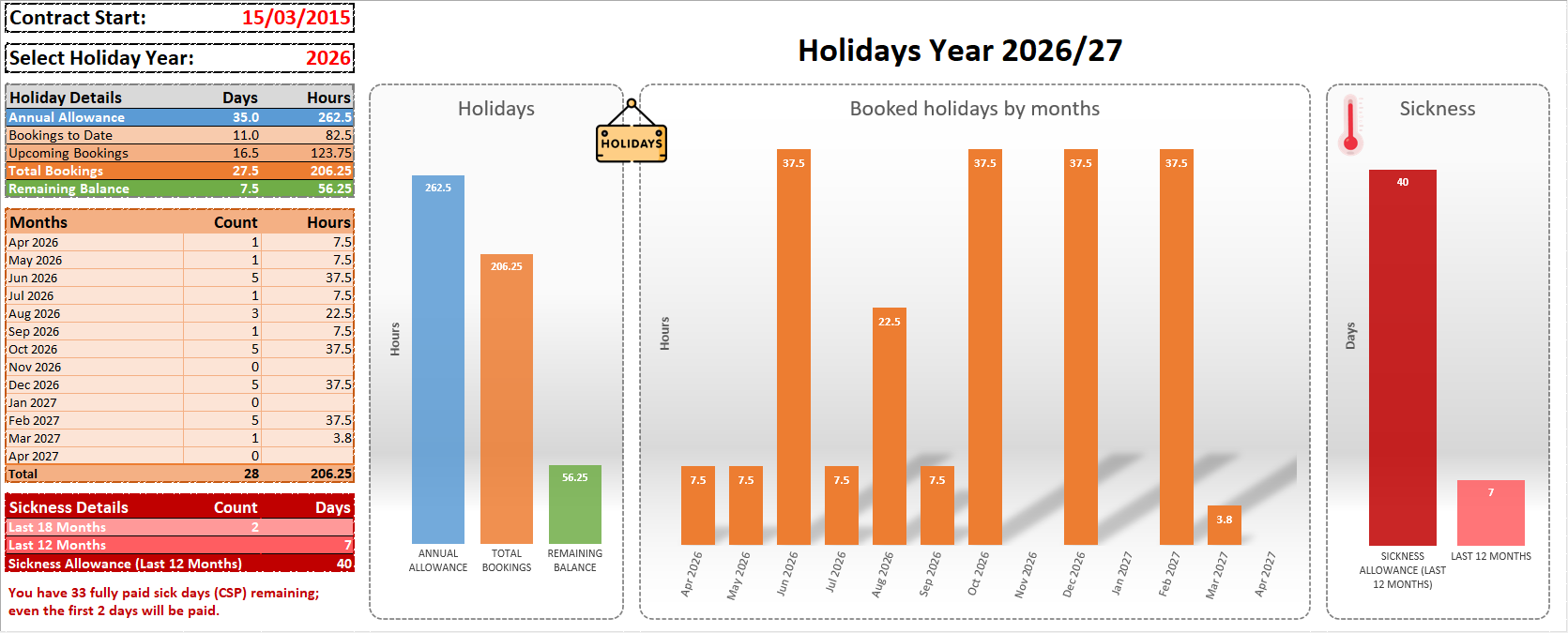
Project Overview
This project is an interactive Excel-based holiday and sickness tracking tool designed to demonstrate practical Excel, data analysis, reporting and business-rule automation skills.
The workbook combines structured data entry, automated calculations, policy-driven logic, conditional formatting and dashboard reporting in a user-friendly interface.
Key Features
Holiday Tracking
- Annual holiday allowance and balance
- Past and upcoming holiday bookings
- Monthly holiday analysis
- Partial-day and early-finish tracking
- Data Validation for controlled input
- Dynamic Conditional Formatting
Sickness Tracking
- Sickness absence history
- Automatic working-day calculation
- Rolling 12/18-month analysis
- Company Sick Pay calculations
- Attendance review periods
- Automated review status
- Date-driven Conditional Formatting
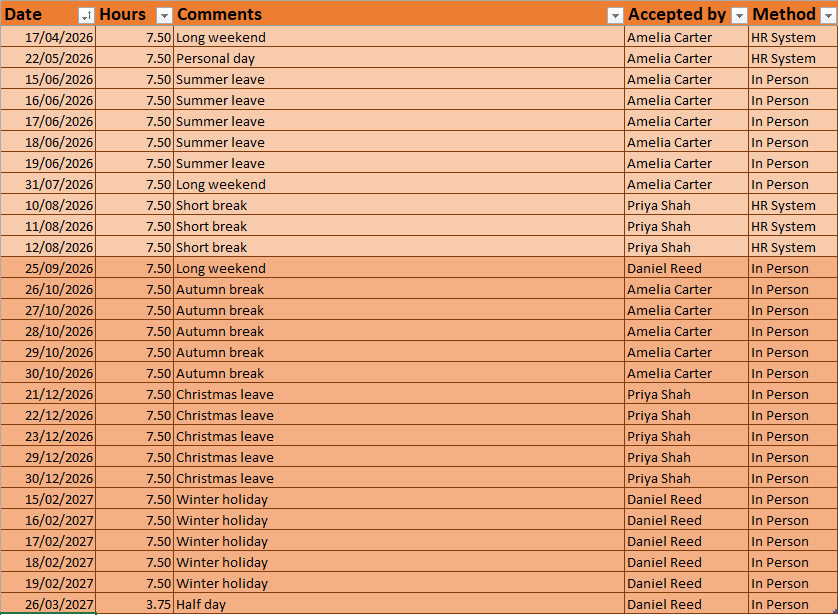
Holiday Tracking
Future holiday bookings are automatically highlighted using date-driven Conditional Formatting, making upcoming leave immediately distinguishable from historical bookings.
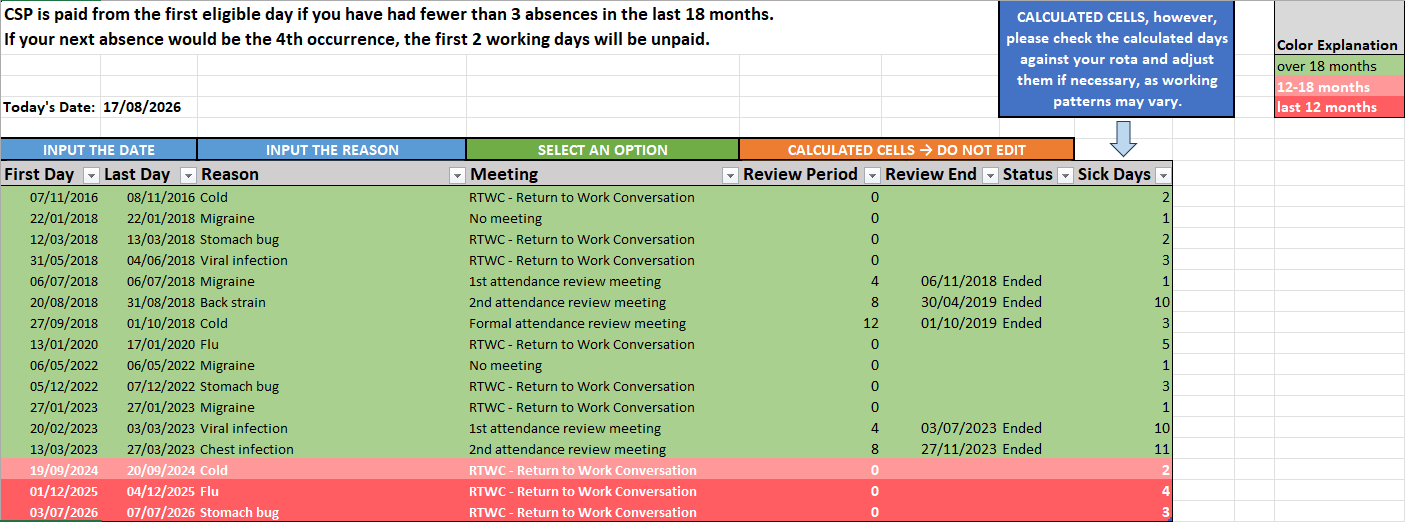
Sickness Tracking
Sickness records are automatically colour-coded using Conditional Formatting according to how recently each absence occurred. This makes records within different rolling review periods easy to identify at a glance.
Policy-Driven Logic
A fictional sickness and attendance policy is used to demonstrate how business rules can be translated into automated Excel calculations.
The model includes length-of-service-based sick pay entitlement, rolling periods, absence occurrence rules and automated attendance review periods.
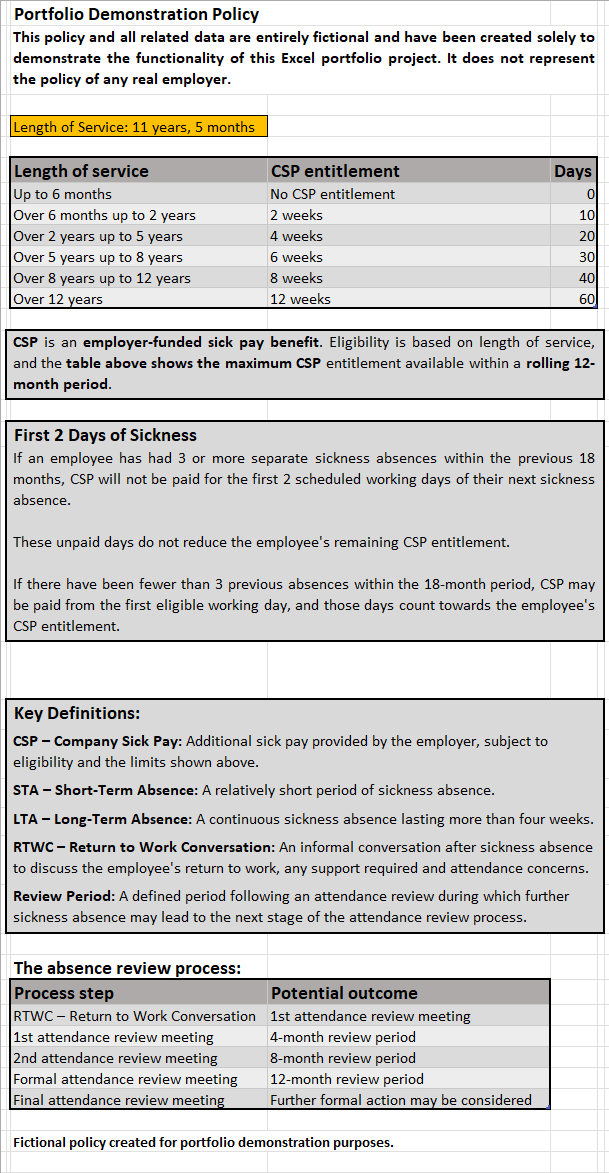
Portfolio note: All employee data and policy rules used in this project are entirely fictional and were created solely for demonstration purposes.
Excel Skills Demonstrated
- Excel Tables
- Structured References
- Data Validation
- Conditional Formatting
- Dashboard Design
- Charts
- Business-Rule Modelling
- Rolling Date Calculations
Functions
IF IFS OR SUMIFS COUNTIFS VLOOKUP INDEX EDATE NETWORKDAYS DATEDIF TODAY
Data Analysis Approach
Input Data → Structured Tables → Business Rules → Automated Calculations → Visual Reporting
The project was designed around a practical business problem rather than individual Excel functions. Reference data, user input and calculated information are separated to create a maintainable and structured workbook.